
Download Unrar Extract and Recover – Free RAR Recovery Tool for Windows
Unrar Extract and Recover is a lightweight, free software tool designed to help users recover and extract data from corrupted or split RAR archives. Whether you're dealing with multi-part RAR files that got damaged during transfer or compressed files that won’t open, this powerful utility steps in to salvage your content. Developed by nvglabs, the software has been a trusted solution for Windows users since 2011, with over 190,000 downloads and steady popularity in the U.S., India, and Egypt.
With a compact file size of just 2.88 MB, Unrar Extract and Recover doesn’t burden your system, making it ideal for older or low-spec machines. It supports Windows XP and later versions, and is available exclusively in English. The latest version, 4.5, was updated on September 9, 2014, and continues to deliver reliable performance for file recovery and decompression tasks.
If you're searching for a secure, no-cost way to extract RAR files—especially split or damaged ones—this tool is worth considering. Download Unrar Extract and Recover today and restore your important documents, photos, and media with confidence.
Key Features of Unrar Extract and Recover
Unrar Extract and Recover stands out among file compression utilities thanks to its specialized focus on recovery and extraction of damaged or split RAR archives. Unlike standard RAR tools, this software is engineered to handle complex scenarios where traditional extractors fail. One of its most powerful features is the ability to reconstruct split RAR files—those divided into multiple parts like archive.part1.rar, archive.part2.rar, etc.—even if some parts are missing or corrupted. This is particularly useful for users who’ve downloaded large files from unreliable sources or experienced interrupted downloads.
The software also includes a built-in recovery engine that scans corrupted RAR archives and attempts to extract as much data as possible. It uses advanced algorithms to identify and repair structural damage in archive headers, making it a go-to tool for recovering critical files from broken archives. Another standout feature is its minimal system footprint. At just 2.88 MB, it loads quickly and runs efficiently without consuming significant RAM or CPU resources, which is ideal for older systems running Windows XP or Windows 7.
Unrar Extract and Recover supports a wide range of RAR formats, including RAR v1.5 through v5.0, ensuring compatibility with both legacy and modern archives. It’s especially effective when used alongside other file utilities like WinRAR or 7-Zip, but offers unique advantages when dealing with damaged files. The interface is simple and intuitive—no complex settings or tutorials required—making it accessible even for beginners. For users who frequently work with large media files, software packages, or backup archives, this tool provides peace of mind. With its free licensing model, no hidden fees, and no ads, it remains a top choice for secure, reliable RAR extraction and recovery on Windows.
How to Install and Use Unrar Extract and Recover
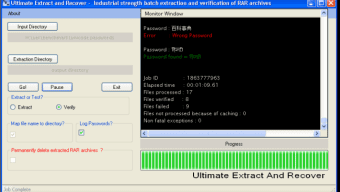
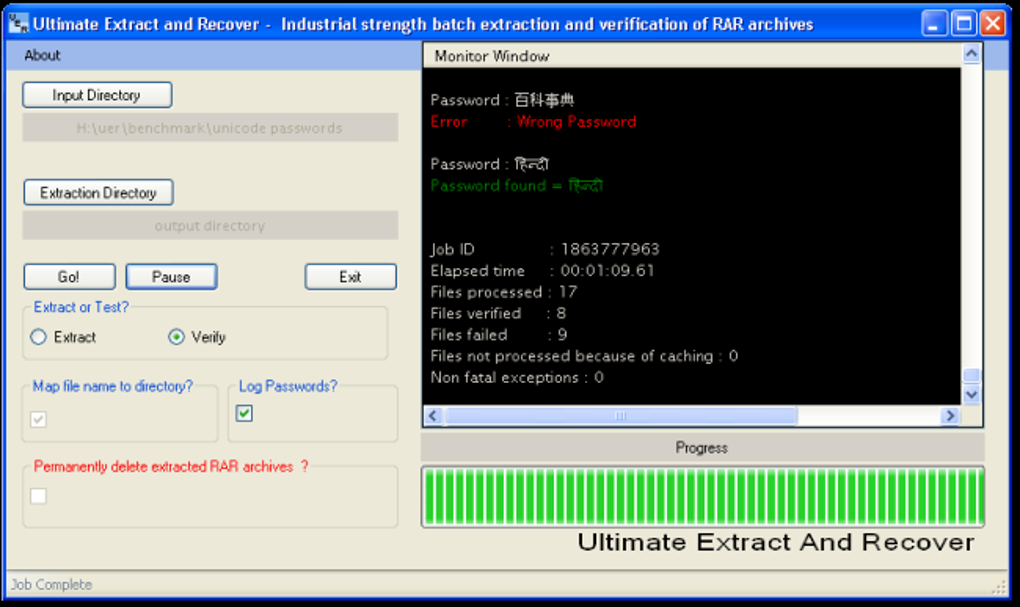
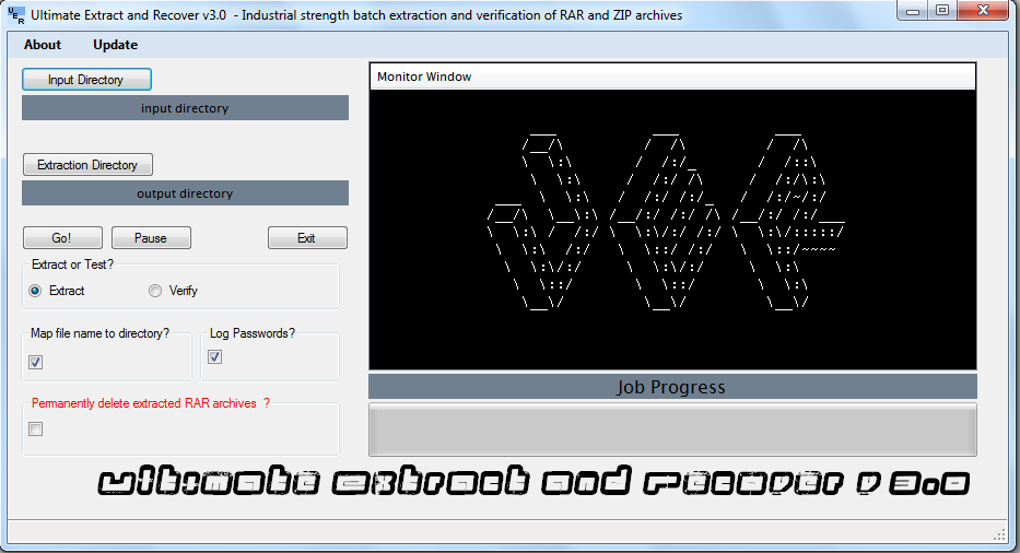
Installing Unrar Extract and Recover is straightforward and requires no technical expertise. Begin by downloading the software from a trusted source. Since it’s a portable tool, there’s no need for a traditional installer—simply extract the downloaded ZIP file to a folder of your choice, such as C:\Tools\UnrarExtract. Once extracted, locate the executable file (usually named unrarextract.exe) and double-click to launch the application. The interface is clean and minimal, displaying a single window with drag-and-drop functionality and a file browser.
To start recovering data, click the “Add” button or drag your RAR file(s) into the window. If you're working with split archives, ensure all parts are in the same folder and the naming convention is correct (e.g., archive.part1.rar, archive.part2.rar, etc.). The software will automatically detect the sequence and attempt to reconstruct the archive. Once loaded, click the “Extract” button to begin the process. You can choose a destination folder for the extracted files, and the tool will display progress in real-time.
For damaged archives, Unrar Extract and Recover will attempt to recover as much data as possible. It may prompt you to select a recovery mode—either “Fast” for quick extraction or “Advanced” for deeper scanning. The advanced mode takes longer but often recovers more files.
After extraction, review the output folder to confirm all files were recovered. The tool also logs errors and warnings, which can help troubleshoot issues in future attempts. Since it’s a lightweight, standalone application, you can run it anytime without installing dependencies or affecting system settings.
Compatibility and System Requirements
Unrar Extract and Recover is designed exclusively for Windows operating systems, making it a perfect fit for users on desktops and laptops running Windows XP, Windows Vista, Windows 7, Windows 8, and Windows 10. It’s not available for Mac, Linux, Android, or iOS, so users on these platforms will need to look for alternative tools. However, for Windows users, this software offers excellent compatibility with older systems, which is a significant advantage for those still using legacy machines.
One of the software’s greatest strengths is its low system requirement. With a mere 2.88 MB file size, it doesn’t require a large amount of disk space or high-end hardware. It runs smoothly on systems with as little as 512 MB of RAM and a 1 GHz processor. This makes it ideal for use on older PCs, netbooks, or even low-spec workstations where heavier software might struggle. The tool is also fully compatible with both 32-bit and 64-bit versions of Windows, ensuring broad accessibility.
Since the software was last updated in 2014, some users may wonder about long-term compatibility. While it hasn’t received a major update in years, it continues to function reliably with most RAR files created up to the present day. However, it may not support the latest RAR5 format features or encryption methods introduced after 2014. For users working with newer archives, it’s recommended to test the tool first. Overall, Unrar Extract and Recover remains a dependable option for Windows users seeking a lightweight, free solution for RAR recovery and extraction.
Pros and Cons of Unrar Extract and Recover
- Pros:
- Free and ad-free software with no hidden costs
- Lightweight (only 2.88 MB) – ideal for low-spec systems
- Excellent for recovering split and corrupted RAR files
- Simple, intuitive interface – no learning curve
- Supports RAR v1.5 to v5.0 formats
- Portable – no installation required
- Works on Windows XP and later
- Cons:
- Not updated since 2014 – may lack support for newer RAR features
- Only available for Windows (no Mac, Linux, Android, or iOS versions)
- Limited recovery options compared to paid tools
- No built-in preview of archive contents
- Minimal logging and reporting features
Frequently Asked Questions (FAQ)
- Can Unrar Extract and Recover open RAR files on Mac or Linux?
- No, Unrar Extract and Recover is only available for Windows operating systems. It does not support Mac, Linux, Android, or iOS. Users on other platforms should consider alternatives like 7-Zip, WinRAR (with Linux version), or online RAR extractors.
- Is Unrar Extract and Recover safe to download and use?
- Yes, the software is safe to use. It’s a lightweight, portable tool with no ads, malware, or bundled software. As long as you download it from a trusted source, it poses no security risks. Always scan downloaded files with your antivirus software for added safety.
- What should I do if my RAR file is corrupted?
- Try using Unrar Extract and Recover in “Advanced” recovery mode. It’s specifically designed to scan and repair damaged archives. Make sure all split parts are present and correctly named. If the tool fails, consider using more advanced recovery tools like RAR Repair Toolbox or DiskInternals RAR Repair.
- Can I extract split RAR files with this tool?
- Yes, one of its main strengths is handling split RAR files. Just place all parts (e.g., .part1.rar, .part2.rar) in the same folder and load the first part. The software will automatically detect the sequence and attempt to reconstruct the full archive.
- Why hasn’t Unrar Extract and Recover been updated since 2014?
- The developer, nvglabs, has not released a new version since 2014. However, the software remains functional for most common RAR files. The lack of updates means it may not support the latest RAR5 encryption or features, so users should test it with their specific files before relying on it for critical data.
Final Verdict: Is Unrar Extract and Recover Worth Downloading?
Despite its age and lack of recent updates, Unrar Extract and Recover remains a valuable tool for Windows users facing RAR file corruption or split archive issues. Its lightweight design, free access, and proven track record make it a solid choice for basic recovery tasks. While it may not offer the advanced features of modern paid tools, it delivers reliable performance for everyday use. If you’re working with older RAR files or need a no-frills solution to extract split archives, this software is definitely worth a try.
For those who frequently deal with damaged or multi-part RAR files, we highly recommend downloading Unrar Extract and Recover today. It’s secure, fast, and requires no installation—just extract and run. Whether you're recovering personal photos, work documents, or software packages, this tool can help you regain access to your data without spending a dime.
Download Unrar Extract and Recover now and take control of your RAR files with confidence.







